
Featured post

GeM Registration Document Checklist: What to Keep Ready is ready. SO HOW?

                                               GeM Registration Document Checklist: What to Keep Ready By Sandeep Rana | Sr. GeM / E-Tender Manager & Business Development Manager (BDM) Planning to sell on GeM? Here is a simple document checklist for seller registration, plus the steps to take after registration so you can start bidding sooner. Labels:   Registering on the Government e-Marketplace (GeM) is the first step to selling to government buyers. It is also where many new sellers lose days: a missing document, a mismatched name or a wrong detail can hold up approval. In my 10+ years of helping sellers on GeM, the sellers who register fastest are the ones who prepare their documents first. Here is the checklist I recommend. Documents to keep ready PAN card of the business or the owner, depending on how you are registering Aadhaar of the authorised pers...

2. GeM Exclusive : MSME SC/ST entrepreneurs on GeM
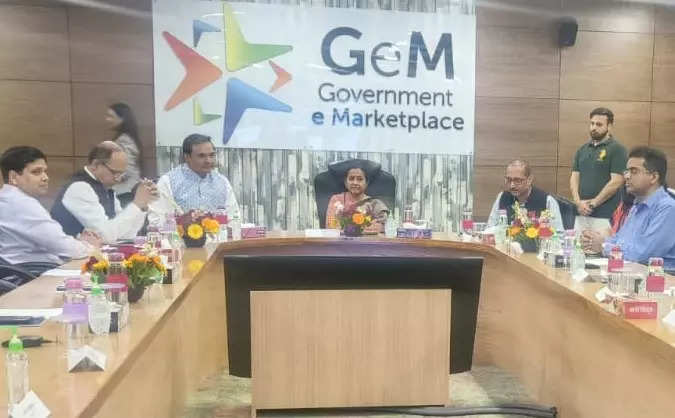
 GeM Exclusive : MSME SC/ST entrepreneurs on GeM

Social-financial inclusion: 'Over 8.5 lakh MSEs got Rs 1.87 lakh crore  worth business through GeM portal', ET Government 


# GeM Exclusive

 The GeM is marketplace based public procurement portal with following the exclusive offering making it unique and superior portal than its peers.
 1. Category and catalogue based procurement portal
 2. Wide varities of procurement modes, DP, L1, PBP, Bid/RA
 3. Automated rule based system driven enforcement of MSE and MII provisions.
 4. Unique Bid representation module where a sellers can raise representation against a bid available in public domain.
 5. Unique challenge rejection window for bidders: All disqualified bidders get right to challenge their bid rejection. Buyer cannot proceed further without replying to the
     challenge It is  increasing transparency.
 6. Advance analytics for the decision support system and fraud and anomaly detection.
 7. Furthermore the process of procurement is faceless and transparent in which sellers identity is not reviled till opening of L1.
 8. The process of registration and product/service offering on GeM is complete online and free. 
 9. The GeM provides opportunity to MSEs, startup and women entrepreneurs to get register on GeM and participate in bids and get preferences as per procurement  policies as applicable and enforceable. 


#  MSME SC/ST entrepreneurs on GeM

GeM is collaborating with various stakeholders from the Micro, Small and Medium Enterprises [MSME] ecosystem with special focus on entrepreneurs from the Scheduled Caste/ Schedule Tribes [SC/ ST]. The partnership is based on the objective of achieving the mandatory procurement goal of 25 percent from MSMEs and a sub target procurement of 4 percent goods and services from MSME entrepreneurs within SC/ ST communities, by all government departments and public sector enterprises [PSE]. This initiative seeks to encourage active participation of MSE sector in public procurement.

Till date, nearly 8.16 lakh sellers have registered on GeM and have processed orders worth 152888.19 Cr in Gross Merchandise Value [GMV], of which approximately 68,286 are MSME sellers who have facilitated orders worth 20,263 Cr, in GMV.


Comments

MUST READ

What is L1 comparison in GeM? How to make l1 comparrision in gem below 10 lakh ?

What is L1 Comparison in GeM? L1 Comparison on the GeM (Government e-Marketplace) portal refers to the process of identifying the Lowest One (L1) price among products or services that meet the same specifications and requirements. This ensures that the government procures goods and services at the most competitive prices. How to Make L1 Comparison in GeM Below 10 Lakh For purchases below INR 10 lakh, the process involves a few key steps: Login to GeM Portal : Go to gem.gov.in and log in with your credentials. Select Product Category : Choose the product or service category you are interested in. Search for Products : Enter the product specifications and search for available options. Add to Comparison : Select at least three products from different OEMs (Original Equipment Manufacturers) or service providers that meet the required specifications. Click on the “Compare” button to add these products to the comparison list. Evaluate Products : Compare the products based on price, quality...

HOW TO MAKE L1 COMPARISION OF A PRODUCT OR SERVICES WITH NEW UPDATES IN GEM PORTAL? STEP BY STEP

  To make an L1 (Lowest One) comparison of a product or service on the GeM (Government e-Marketplace) portal, follow these steps: Step-by-Step Guide for L1 Comparison on GeM Login to GeM Portal : Navigate to the GeM website. Click on the Login button at the top right corner. Enter your User ID and Password to log in. Navigate to the Marketplace : Once logged in, click on the Market link to access the GeM Marketplace. You can also directly access it from the homepage. Select the Category : Enter the category name or keywords related to your product or service. Choose the appropriate category from the list. Apply Filters : On the left-hand side, you will see a section called Filter with options like Administrative , Financial , Make/Model Selection , and Product Specifications . Focus on the Product Specifications section. You will see two types of filters: Golden Parameters (yellow) and Silver Parameters (gray). Select the right combination of Golden Parameters for your pro...

**GeM (Government e-Marketplace) Portal: Key Changes in 2026 (up to June 2026)**

 **GeM (Government e-Marketplace) Portal: Key Changes in 2026 (up to June 2026)** regarding products, services, manpower, and L1-related processes. https://lnkd.in/gq3UBEMe https://lnkd.in/d2fV6-Uy GeM is India's national procurement platform for government buyers. In 2026, it has seen ongoing updates for transparency, MSME support, digital features, expanded categories, and refined bidding rules. Procurement volume continues to grow significantly (already crossing high figures in FY26). Changes are evolutionary rather than revolutionary, focusing on compliance, new green/tech categories, and streamlining. ### 1. Products: New Categories, Listing & Procurement Rules - **New/Expanded Categories (2026)**: Significant additions to support government priorities like sustainability and tech:   - EV (Electric Vehicles) products, charging equipment, batteries, and related maintenance.   - Solar energy products (panels, inverters, installation).   - Green building materi...